The manual for the US Navy's Mark 3 Plotting Board in WW2 includes 64 navigation problems to be solved by the aviator cadet during navigation training. We can use the plotting-board app or an analog plotting board to solve these problems as well and learn how to use the plotting board for our own sim-flight planning in DCS, MSFS Flight Simulator or the IL-2 series.
Problem 1
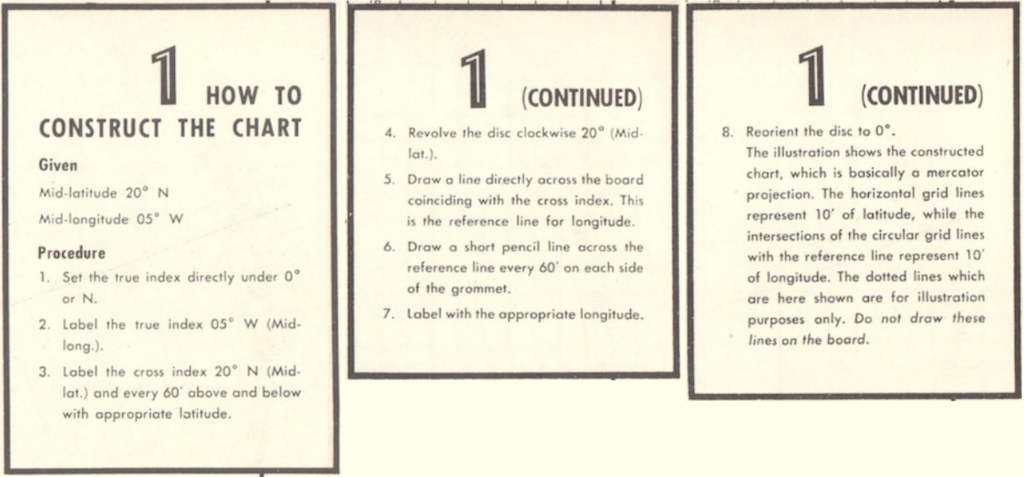
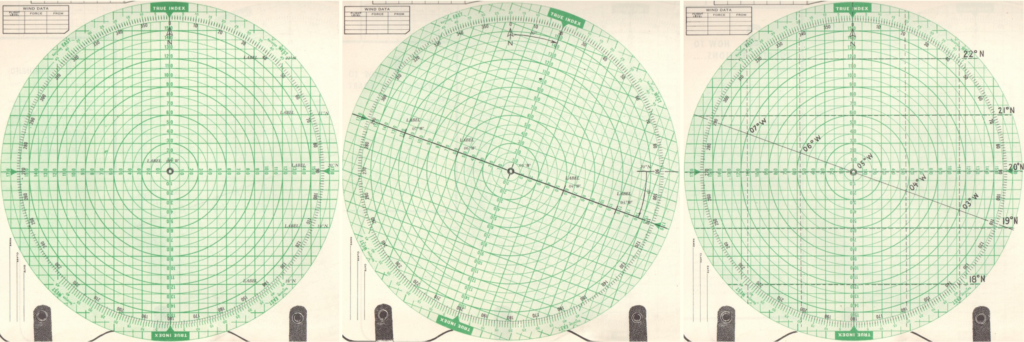
If you follow these eight steps using the plotting board, you get the plot shown below, which is basically just a coordinate system in which to plot the geographical coordinates used in a flight mission. By turning the disc clockwise (north hemisphere) or counter-clockwise (south hemisphere) - step 4 of the instructions - you adjust the plot for latitude angles; in this example flying in a region around 20° N latitude.
By adjusting for latitude in this manner, all angles and distances measured in the plot give correct true courses and distances (nautical miles), no matter whether you fly near the equator or closer to the earth's poles.
Problem 2
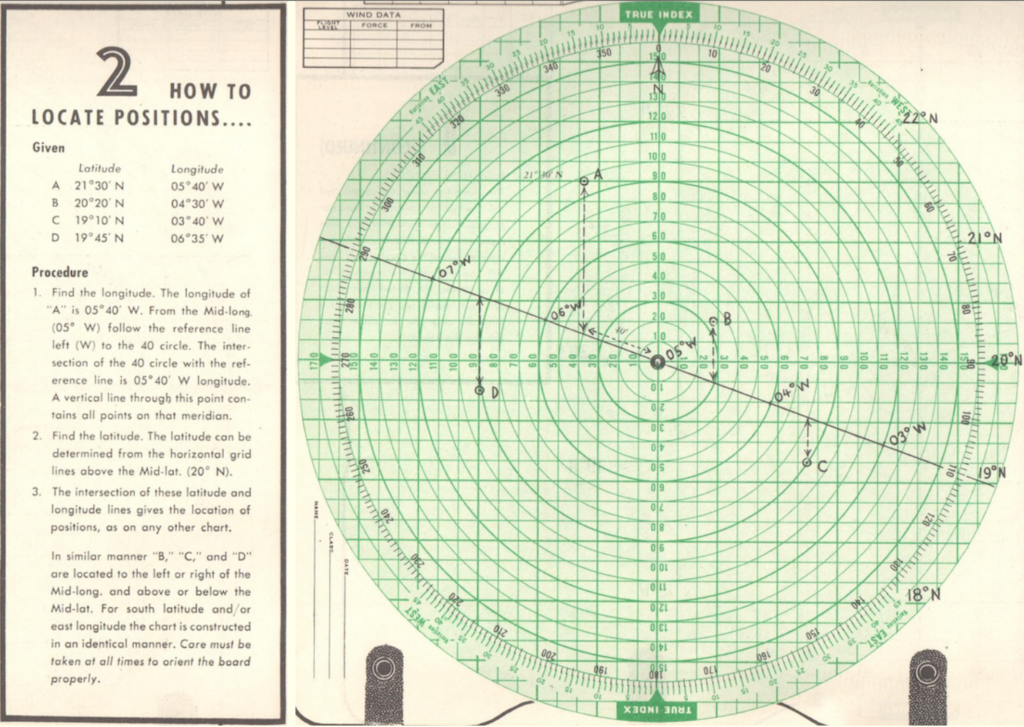
Here we get a list of coordinates A through D to plot in our diagram. Note how all of them are situated around 20° North latitude. That is why we had constructed the plot turned 20° to the right.
Taking Point A as an example, you need to move 40' (minutes) west of 05° West. Move along the drawn latitude line for 40 units, where the line intercepts the circle at value 40. From there, move northwards to the latitude of 21°30', which you read from the notes you had marked down while setting up the plot in Problem 1 - 21°30' is halfway between 21°N and 22°N.
Follow this procedure in a similar fashion for the points B through D without looking at the solution and compare afterwards. Did you get all points right?