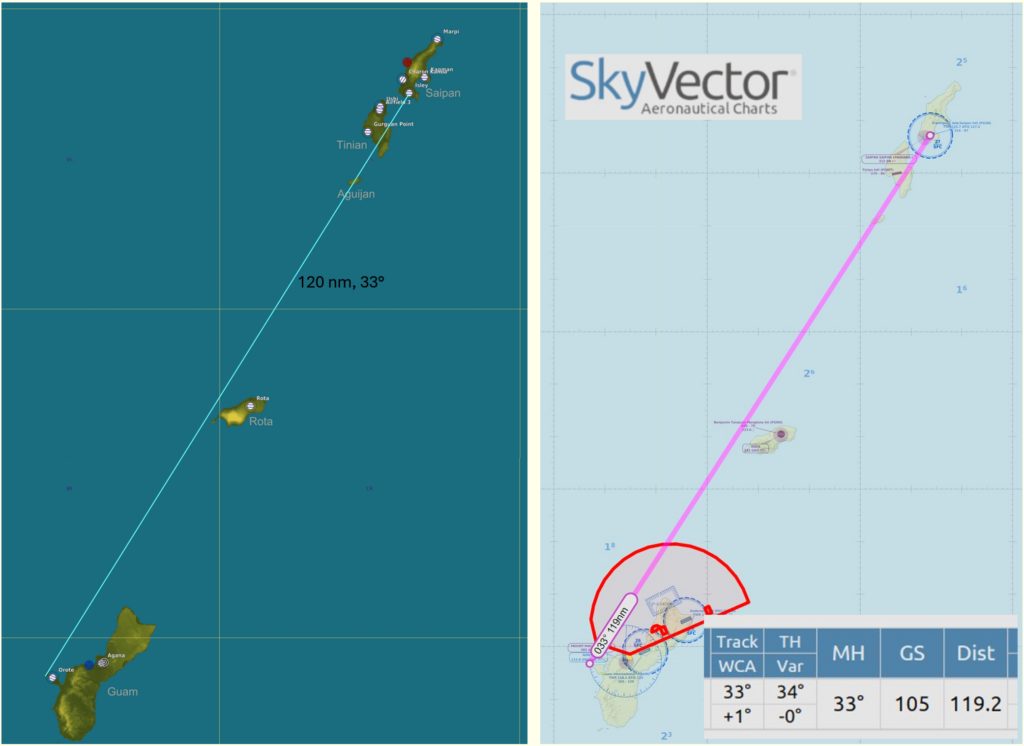
Flight planning in WW2 often started with plotting the course and distance from the takeoff airfield (origin) to the target or destination. Today our US Navy pilot in CTF-58 in the Marianas is tasked with flying his Corsair from Orote Airfield on Guam to Isley Airfield on Saipan to the North.
Task: Plot your flight from Orote Airfield to Isley Airfield.
Tools: Mark-3 Plotting Board
Required: coordinates of origin and destination, Course, Distance
Solution:
Step 1: Get the coordinates of the Origin and Destination
- Use any map resource displaying the geographic coordinates where you intend to fly and get the coordinates.
- Abbreviate the coordinates to degrees and minutes (round seconds to minutes)
In our example, we want to start our route after taking off from Orote Airfield on Guam. The origin location is at 13°27' N and 144°37' E. Likewise, the destination coordinates at Isley Airfield on Saipan are 15°07' N and 145°43'.
Step 2: Set up the Plot for the Region
Follow the steps given in Problem 1 of the Mark 3 Plotting-Board Manual to prepare the coordinate system:
- Mark Mid-Longitude and Latitude (144°E and 14° N)
- Turn the wheel according to the mid-Latitude (14° right)
- Draw a line across the cross-Index through the center across the entire disc
- Turn the wheel back North and mark the remaining Latitudes (13° and 15° N)
- Mark the remaining Longitudes on the line (145° and 146°)
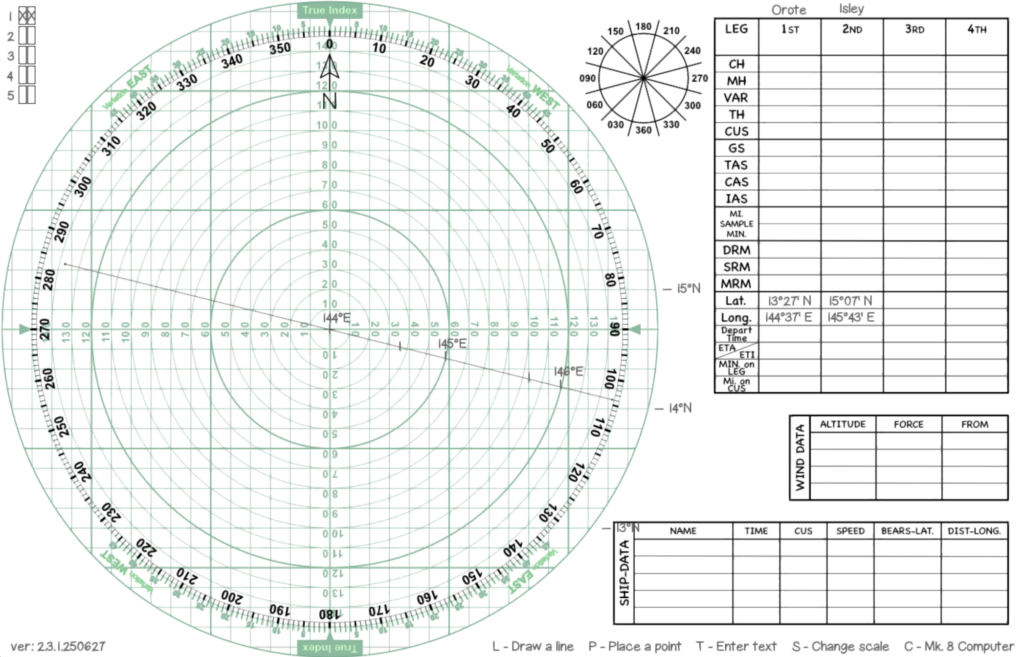
Step 3: Plot the coordinates on the Plotting Board
Using the steps described in the Plotting Board Manual in Problem 2 we mark the two locations for origin and destination:
- For each location, mark the longitude on the drawn line ...
- ... and move vertically from this longitude up or down to the latitude of each location
- Mark each location with x and a name
- Connect both locations with a line - marking the flight course
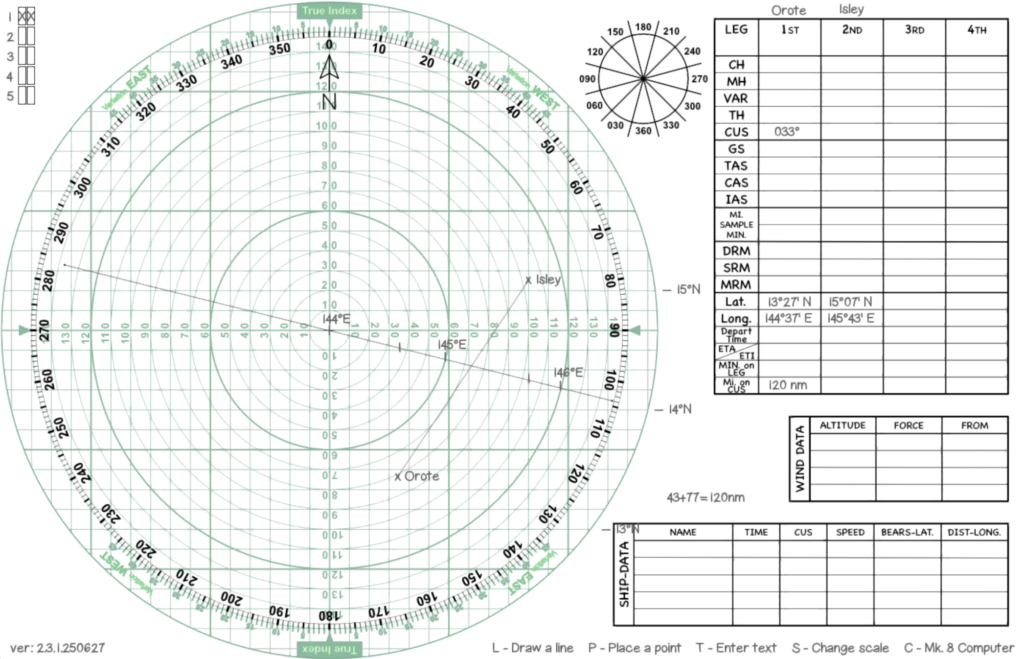
Step 4: Measure Distance and Course
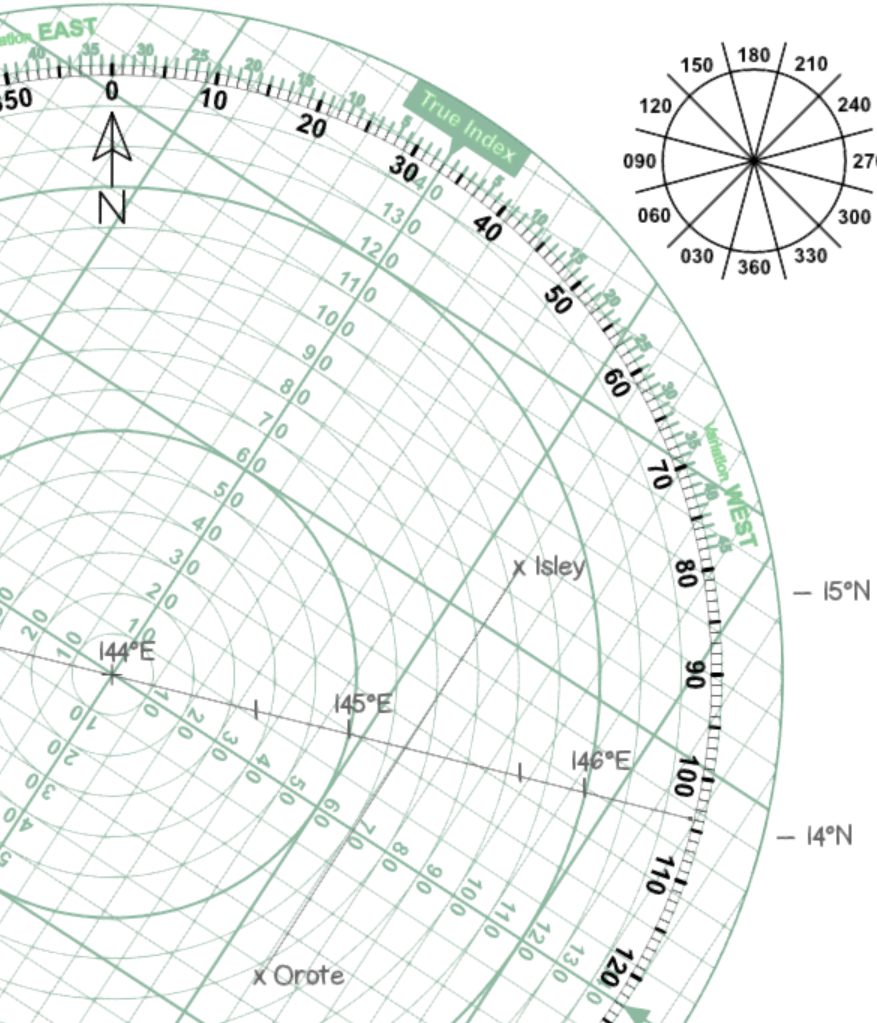
As the last step, get course and distance using the turnable disc and the unit marks on it.
- Turn the disc until the North lines run parallel with the course
- Read the course under the True Index mark (033°)
- Measure the length of the line using the units on the disc (120 nm)
Thus we have finished our task: We have to fly from Orote AF to Isley AF on a true course of 033° for 120 nm.
Additional Information:
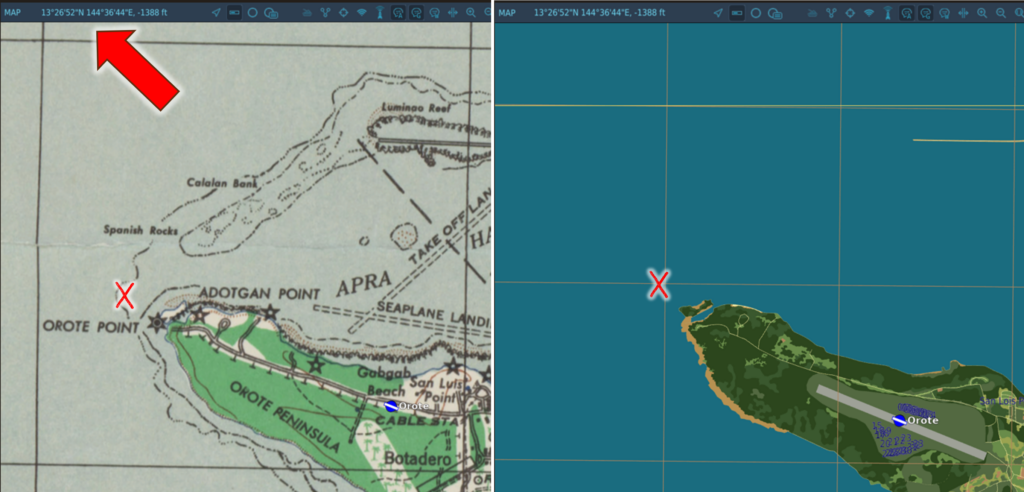
When planning a warbird flight in your favorite flight sim, you can use several resources to get the geographical coordinates needed to work this exercise. In DCS, go to the mission planner or the F10 map in a running mission. If you hover the mouse arrow above a location, the coordinates are shown (see above). Mark them down to use with the plotter. You can also use the ruler tool to get true course and distance in nautical miles to verify the results you get with the plotting board.
Alternatively, you can use online tools like SkyVector.com to plot the route there in order to get a flight plan "Nav Log" with all info to verify your plotting results. The true course is shown as "Track" and distance as "Dist". SkyVector displays the coordinates a bit unusually, but it is still legible. The coordinates in our flight would be 132700N 1443700E and 150700N 1454300E.